
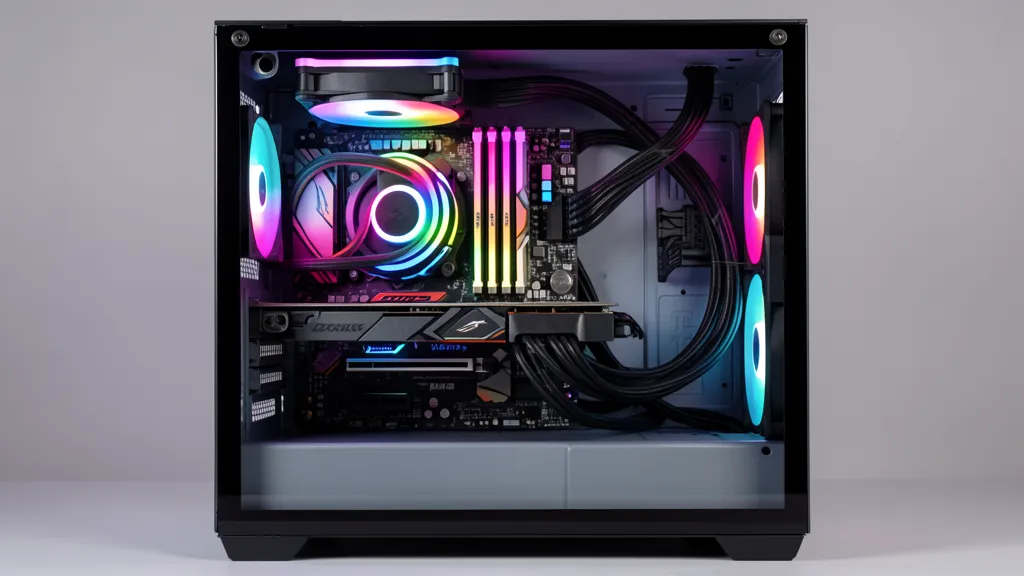
Building a custom PC in Singapore is one of the smartest ways to get exactly the performance you need at a price that suits your budget. Whether you’re assembling a gaming beast, a content creation powerhouse, or a reliable office workstation, the right custom PC builder makes all the difference. Here’s our updated 2026 guide.
Average Custom PC Build Costs in Singapore (2026)
| Build Type | Price Range (SGD) | Best For |
|---|---|---|
| Office / Productivity PC | $500–$1,000 | WFH, school, light tasks |
| Budget Gaming PC (1080p) | $800–$1,200 | Casual gaming, students |
| Mid-Range Gaming PC (1440p) | $1,500–$2,500 | Gaming, streaming, design |
| Content Creation Workstation | $2,000–$6,000 | Video editing, 3D, rendering |
| High-End Gaming PC (4K) | $3,000–$5,000+ | 4K gaming, enthusiast builds |
| Assembly Labour Fee | $50–$150 | Often waived with parts purchase |
Want a figure for your own parts list? Budget PC Singapore’s PC build calculator starts from the graphics card you choose and prices the full build in SGD, with used parts and with new ones.
Best Custom PC Builders in Singapore (2026)
Top shops ranked by reputation, value, and experience.
1. Volta PC
14+ years building custom PCs across multiple island-wide locations. Best for first-time builders and those who want transparent pricing.
- Custom assembly, gaming & workstation builds, upgrades, cable management
- Assembly labour: $80–$150 | Free consultation | Parts from local distributors
- ✅ Local warranty on all components | Transparent pricing
- 📍 Trivex Tai Seng | Woodlands | Jurong Gateway | Mon–Fri 10:30AM–6PM
Website: budgetpcupgraderepair.com | Best for: First-time builders, multi-location convenience
2. Aftershock PC
Singapore’s homegrown gaming PC brand with online configurator and Funan showroom. Strong post-sales support and 2-year warranty.
- Gaming PCs from $1,200 | Workstations from $3,000
- ✅ 2-year warranty | Pick your own GPU, CPU, and RAM
- RGB aesthetics, premium cable management, stress-tested before delivery
- 📍 Funan Mall #03-25 | Daily 11AM–9PM | +65 6909 9060
Website: aftershockpc.com | Best for: Premium gaming builds, brand reliability, enthusiasts
3. Budget PC Singapore
If you want the outcome of a custom build — a capable gaming rig for the lowest possible price — but would rather skip the parts-picking and assembly, Budget PC Singapore is the shortcut. This Bugis Street shop sells complete refurbished gaming desktops built from tested used components: RTX 3060 Ti rigs from $750, RTX 3070 builds around $800, versus $1,200+ to build new. Every machine is benchmarked under load, ships with Windows 11 and a 1-month warranty, and can be tested in person before you pay. They also accept trade-ins and build to request.
- Complete tested gaming/office builds from $550–$1,850 — no assembly needed
- ✅ Every build benchmarked under load | Windows 11 | 1-month warranty
- Test the exact rig in-store at Bugis before paying | trade-ins accepted
📍 Bugis Street #CFL A08 (behind DBS ATM) | Daily 11AM–8PM | +65 9131 8317
Website: budgetpcsingapore.com | Best for: Cheapest route to a ready-to-game rig without building
4. Dreamcore
Cult following in Singapore’s PC community for obsessively clean builds — white/all-black themes, tempered glass, perfect cable management. Favourite on HardwareZone and Reddit.
- Builds from $1,000 | Assembly labour from $80
- ✅ Aesthetic builds: white, all-black, tempered glass | Local warranty
Website: dreamcore.com.sg | Best for: Aesthetic builds, cable management, content creators
5. Falcon Gaming Computers
Performance-focused builder — no unnecessary upsells, just well-tested builds optimised for high FPS. Excellent for esports and competitive gamers.
- Builds from $1,500 | All builds stress-tested before delivery
- ✅ Competitive GPU and CPU sourcing | Warranty on parts and labour
Website: falcongaming.com.sg | Best for: Esports, competitive gaming, FPS-optimised builds
6. iBuildPC
Community favourite on HardwareZone for budget-conscious builders. Ideal for students and first-time PC owners who want quality without premium pricing.
- Assembly from just $50–$80 | Excellent value under $1,000
- ✅ Components from trusted local suppliers | Honest, no-upsell advice
Best for: Students, first-time builders, budget builds under $1,000
7. GX Works
For enthusiasts wanting a showpiece. Custom watercooling loops, sleeved cables, RGB synchronisation, and full benchmarking.
- Premium builds from $2,500 | Custom watercooling from $600 additional
- ✅ Sleeved cable sets from $150 | Full stress-testing included
Best for: Watercooling, modded cases, showcase builds
8. Affordable Desktop Services
Specialising in budget-friendly gaming desktop builds for students and cost-conscious gamers. Great resource for finding affordable PC build options without compromising on performance.
- Budget gaming desktop builds starting from affordable price points
- ✅ Student-friendly pricing | Custom build consultation
- Focus on value-for-money gaming configurations
Website: affordablelaptopservices.com.sg | Best for: Students, budget gamers, affordable gaming PC builds
What to Look for in a Custom PC Builder
🏆 Experience & Reputation
Check HardwareZone and Reddit Singapore. Years of consistent reviews are a reliable signal.
🔩 Component Sourcing
Parts from local distributors give valid Singapore local warranty coverage.
📋 Build Transparency
A good builder shows the full parts list and explains every choice — not pushes unnecessary upsells.
🛡️ Warranty Support
Assembly warranty (30–90 days) plus component warranty must be stated upfront.
🔌 Cable Management
Good cable management means better airflow and easier upgrades later. Ask for photos of previous builds.
🧪 Stress Testing
Reputable builders test with Prime95, FurMark & MemTest86 before delivery. Always ask.
Popular Build Configurations in Singapore (2026)
| Build | Budget | CPU | GPU | RAM |
|---|---|---|---|---|
| Budget 1080p Gaming | $900–$1,100 | Ryzen 5 7600 / i5-14400F | RTX 4060 / RX 7600 | 16GB DDR5 |
| Mid-Range 1440p | $1,800–$2,500 | Ryzen 7 7700X / i7-14700K | RTX 4070 Super / RX 7800 XT | 32GB DDR5 |
| High-End 4K Gaming | $3,500–$5,000+ | Ryzen 9 7900X / i9-14900K | RTX 4080 Super / RTX 4090 | 64GB DDR5 |
| Workstation | $3,000–$5,500 | Threadripper / Ryzen 9 / i9 | RTX 4080/4090 or Pro GPU | 64–128GB DDR5 |
Where to Buy PC Parts in Singapore
- Sim Lim Square (SLS): Singapore’s iconic electronics hub. Best for comparing prices and negotiating deals in person.
- Funan Mall: Modern tech mall with Aftershock showroom. Good for seeing builds before buying.
- Lazada / Shopee: Competitive online pricing — stick to official brand stores for warranty coverage.
- Challenger / Harvey Norman: Convenient but prices run higher than specialist shops.
- eGlobalCentral / Newegg: Good for specific components with regional warranty.
📖 Glossary: Key PC Build Terms
| Term | What It Means |
|---|---|
| GPU | Graphics Processing Unit — handles game rendering and visual output. |
| CPU | Central Processing Unit — the brain of your PC handling all general tasks. |
| RAM | Short-term memory your PC uses while running programs and games. |
| SSD vs HDD | SSD = fast, silent, durable. HDD = cheaper per GB but slower. |
| Thermal Paste | Applied between CPU and cooler to transfer heat efficiently. |
| Thermal Throttling | When CPU/GPU slows down due to heat. Good cooling prevents this. |
Final Verdict
For multi-location convenience and experience, go with Volta PC. For a premium brand with showroom, choose Aftershock. If you’d rather skip building entirely and buy a ready, tested rig for less, Budget PC Singapore sells complete refurbished gaming desktops from $750 with warranty. For immaculate aesthetics, Dreamcore is unmatched. For student-friendly budget gaming builds, Affordable Desktop Services offers great value. Students on a tight budget will get the most from iBuildPC. Always get a full parts list, confirm warranty coverage, and ask for stress-test results before pickup.
Last updated: July 2026 | Best10 Singapore
