
Home › Articles › PC & Laptop Guide
What Does Thermal Throttling Mean and How Does It Affect Your Laptop?
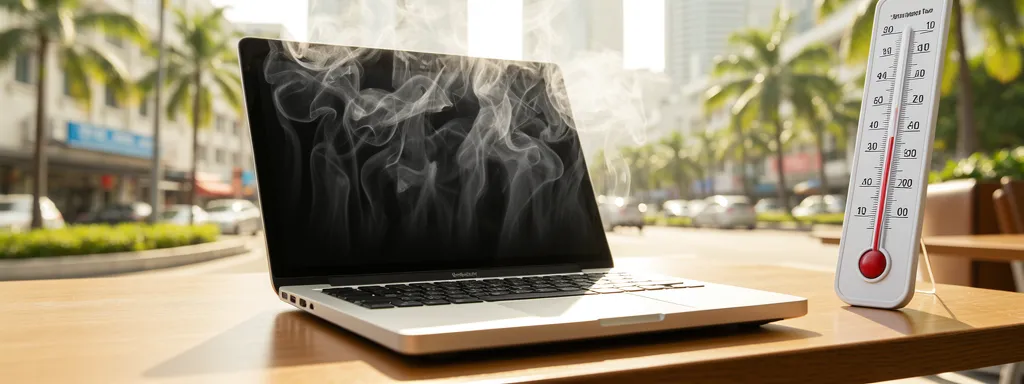
Does your laptop run fast for 10 minutes then suddenly slow to a crawl? Does it struggle more in Singapore’s heat than in air-conditioned rooms? That’s thermal throttling — and understanding it will help you fix the problem and protect your laptop long-term.
What Is Thermal Throttling?
Thermal throttling is when your laptop’s CPU or GPU automatically reduces its clock speed to generate less heat when temperatures get too high. It’s a built-in safety mechanism to prevent permanent damage from overheating.
When your chip temperature approaches its maximum safe threshold — typically 90–105°C — it deliberately slows itself down. The result: your laptop feels fast initially, then becomes noticeably sluggish during sustained tasks like gaming, video rendering, or heavy multitasking.
What Are Safe Laptop Temperatures?
| Temperature Range | Status | What It Means |
|---|---|---|
| Below 70°C | ✅ Normal | Safe under any load — no action needed |
| 70–85°C | ⚠️ Warm | Acceptable under heavy load but monitor closely |
| 85–95°C | 🔴 Hot | Throttling likely starting — performance will drop |
| Above 95°C | 🔴 Critical | Heavy throttling, risk of shutdown, long-term damage |
Signs Your Laptop Is Thermal Throttling
| Symptom | What It Indicates |
|---|---|
| Fast at first, then slows suddenly | Classic throttling pattern — chip hits thermal limit after sustained load |
| Fan running at full speed constantly | Cooling system struggling to keep up with heat generated |
| FPS drops during gaming after 10–15 min | GPU throttling due to heat buildup |
| Video renders faster initially then slows | CPU throttling during sustained workload |
| Bottom of laptop extremely hot to touch | Heat not being efficiently expelled — check vents and thermal paste |
Common Causes and How to Fix Them
| Cause | Fix | Cost (SGD) |
|---|---|---|
| Clogged fan & heatsink | Professional deep clean — most common cause in Singapore | $40–$80 |
| Dried thermal paste | Repaste with quality compound (e.g. Thermal Grizzly) | $50–$100 |
| Using on soft surface (bed/sofa) | Always use on hard flat surface — blocks intake vents | Free |
| High ambient temperature | Use in air-conditioned room or with cooling pad | $20–$60 |
| Failing or slow fan | Fan replacement | $60–$120 |
Long-Term Effects of Thermal Throttling
| Effect | What Happens |
|---|---|
| Reduced component lifespan | Sustained high temps degrade CPU, GPU, and capacitors over time |
| Battery degradation | Heat is the #1 enemy of lithium batteries — accelerates capacity loss |
| Solder joint failure | Repeated heat cycles cause solder to crack — leads to GPU/CPU failure |
| Permanent performance loss | In extreme cases thermal damage can permanently reduce max clock speeds |
Frequently Asked Questions
How do I check if my laptop is thermal throttling?
Download HWiNFO64 (free) and monitor CPU/GPU clock speeds during a heavy task. If clock speeds drop significantly after a few minutes of load despite the task still running, your laptop is throttling. You’ll also see temperatures above 85°C.
Will a cooling pad help with thermal throttling?
It helps but isn’t a complete solution. A good cooling pad can reduce temperatures by 3–10°C — enough to reduce throttling in mild cases. But if your internal fans are clogged or thermal paste is dry, a cooling pad alone won’t fix the root cause.
How often should I service my laptop to prevent throttling in Singapore?
Every 6–12 months for a fan clean and dust removal. Every 2–3 years for a full repaste. If you game heavily or work in dusty environments, lean toward the shorter intervals. Singapore’s humidity makes dust accumulation faster than in most countries.
Is thermal throttling permanent damage?
Occasional throttling is normal and causes no permanent damage — it’s a protective mechanism. Sustained throttling over months or years without addressing the root cause can shorten component lifespan significantly.
My laptop throttles even in an air-conditioned room — what’s wrong?
Most likely dried thermal paste or clogged heatsink fins. These are internal issues that ambient temperature can’t compensate for. A professional laptop cleaning and repaste will typically fix this immediately.
🔗 Useful Official Resources