
Home › Articles › PC & Laptop Guide
What Does RAM Actually Do and How Much Do You Need?
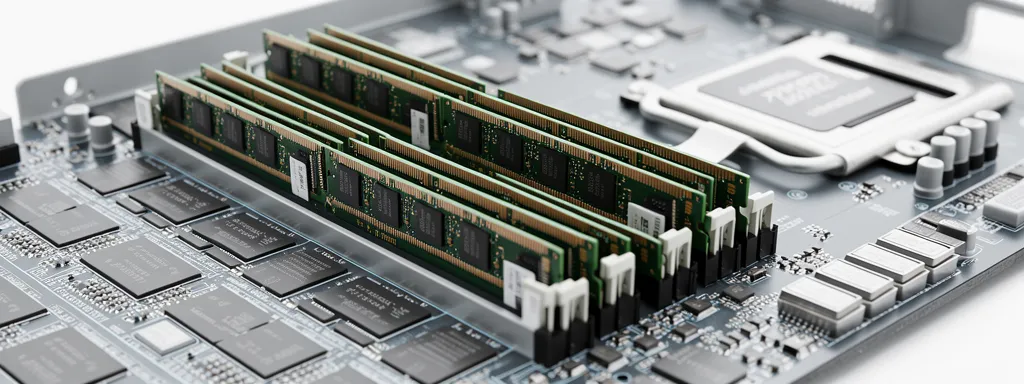
RAM is one of the most misunderstood PC specs. Many Singaporeans buy more RAM than they need — or not enough, causing their laptop or PC to slow to a crawl. This guide explains exactly what RAM does, why it matters, and how much you actually need for your use case.
What Is RAM and What Does It Do?
RAM (Random Access Memory) is your computer’s short-term working memory. It temporarily stores data that your CPU is actively using so it can be accessed almost instantly — far faster than reading from your SSD or hard drive.
Think of RAM as your desk space. Your SSD is the filing cabinet where everything is stored long-term. When you open an app or file, it gets moved from the filing cabinet onto your desk (RAM) so you can work with it quickly. The bigger your desk, the more things you can have open at once without slowdown.
How Much RAM Do You Actually Need?
| RAM Amount | What It Handles | Best For | Verdict |
|---|---|---|---|
| 4GB | Basic browsing, 1–2 apps at once | Very light use only | Too little in 2026 |
| 8GB | Browsing, Office, light multitasking | Basic office work, students | Minimum acceptable |
| 16GB | Heavy multitasking, gaming, WFH | Most Singapore users | ⭐ Sweet spot |
| 32GB | Video editing, 3D work, heavy gaming | Content creators, power users | Recommended for pros |
| 64GB+ | Professional workstations, servers | Video production, 3D rendering, AI | Specialist use only |
RAM Recommendation by Use Case
| Who You Are | Typical Tasks | Recommended RAM |
|---|---|---|
| Student | Word, PowerPoint, browsing, Zoom | 8GB–16GB |
| Office WFH Worker | Excel, Teams, many Chrome tabs, Zoom | 16GB |
| Casual Gamer | Gaming + browsing + Discord | 16GB |
| Content Creator | Premiere Pro, After Effects, Photoshop | 32GB |
| Software Developer | Multiple IDEs, Docker, VMs, browsers | 32GB |
| 3D / AI / Data Science | Blender, training models, large datasets | 64GB+ |
Signs You Don’t Have Enough RAM
| Symptom | What It Means |
|---|---|
| Computer slows down with many tabs open | RAM is full, system using slow SSD as overflow (virtual memory) |
| Apps take long to switch between | RAM can’t hold all open apps — has to reload from SSD each time |
| Games stutter or freeze randomly | Game assets can’t all fit in RAM, causing constant loading pauses |
| Fan spins loudly under light tasks | CPU working overtime compensating for RAM limitations |
Does RAM Speed (MHz) Matter?
RAM comes in different speeds — DDR4 3200MHz, DDR5 4800MHz etc. For most users, RAM speed matters much less than RAM amount. The difference between 3200MHz and 3600MHz RAM is negligible in real-world use.
| RAM Type | Common Speed | Found In | Worth Upgrading? |
|---|---|---|---|
| DDR4 | 2666–3600MHz | Most laptops & PCs pre-2023 | Only if below 16GB |
| DDR5 | 4800–6400MHz | New Intel 12th gen+ / AMD Ryzen 7000+ | Future-proof choice |
Frequently Asked Questions
Will adding more RAM make my computer faster?
Only if you’re currently running out of RAM. If your PC has 16GB and you rarely use more than 8GB, adding more RAM won’t speed things up. But if your RAM is frequently maxed out, upgrading will make a significant difference.
Is 8GB enough for a laptop in Singapore in 2026?
Barely. With modern browsers, Teams, Zoom, and multiple apps running simultaneously, 8GB frequently hits its limit during WFH sessions. If budget allows, 16GB is strongly recommended as the minimum for a new laptop purchase in 2026.
Can I upgrade my laptop’s RAM?
It depends on the laptop. Many modern thin laptops (especially MacBooks and budget models) have RAM soldered directly to the motherboard and cannot be upgraded. Always check before buying if future RAM upgrades are important to you.
Does RAM affect gaming performance?
Yes, up to a point. Most modern games recommend 16GB. Below 16GB, you may experience stuttering and longer loading times. Above 16GB, the benefit for gaming alone is minimal — your GPU and CPU matter far more.
How do I check how much RAM I’m currently using?
On Windows, press Ctrl + Shift + Esc to open Task Manager, then click the Performance tab and select Memory. This shows your current RAM usage and total installed RAM in real time.
🔗 Useful Official Resources