
Home › Articles › PC & Laptop Guide
Best Budget PC Specs to Run Professional Software in Singapore (2026 Guide)
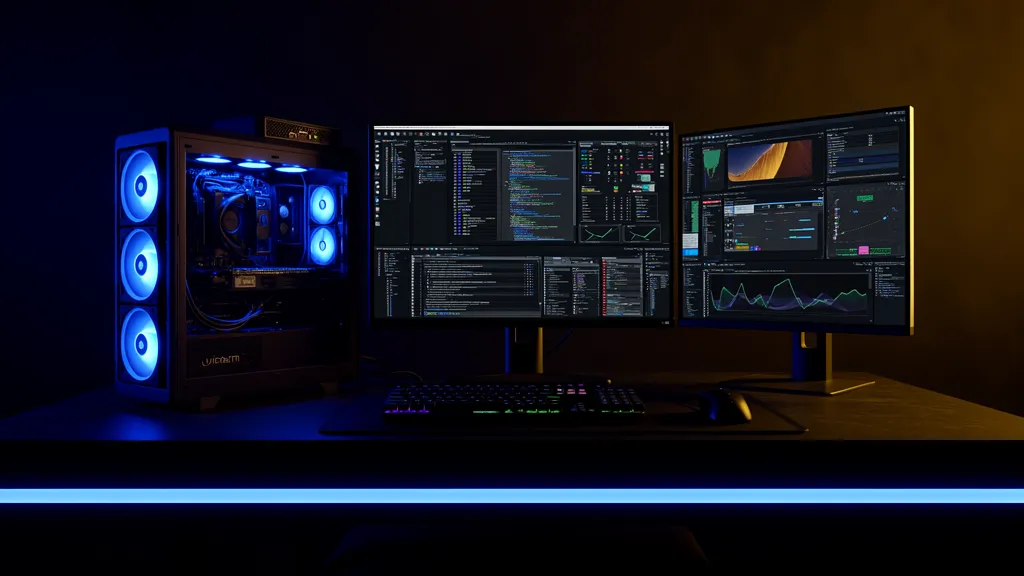
🖥️ Need a budget PC built for professional software? Affordable Laptop Services builds custom desktop workstations in Singapore — spec’d for your exact software and workload. Complete builds from ~$600 with used RTX 30 series GPUs, tested and warranted. View desktop builds →
You don’t need to spend $3,000 to run professional creative software smoothly in Singapore. Whether you’re a freelance video editor, an architecture student running AutoCAD and Revit, or a designer experimenting with AI image generation, the right budget PC can handle more than you think — if you spec it correctly.
Why Getting the Specs Right Matters
Most people building a budget PC default to gaming spec guides — which prioritise GPU performance at 1080p. Professional software has very different demands. Blender needs VRAM. After Effects needs RAM. AutoCAD needs single-core CPU speed. DaVinci Resolve needs a GPU-first system. Buy the wrong component and you’ll bottleneck the exact thing your software depends on.
As HardwareZone Singapore notes, for CPU-intensive tasks like video editing or 3D rendering, single-core speed and core count both matter — and the right balance depends entirely on which application you’re running. That’s why a generic “gaming PC” often disappoints creative professionals even when the price tag looks right.
Budget Specs by Software — Quick Reference Table
These are recommended working specs — not bare minimums — based on real-world Singapore usage. Build costs assume a used RTX 30 series GPU, CPU, 32 GB RAM, NVMe SSD, PSU, and case.
| Software | CPU | RAM | GPU / VRAM | Est. Build (SGD) |
|---|---|---|---|---|
| Adobe Photoshop | i7 / Ryzen 7 | 16–32 GB | RTX 3060 / 8 GB | ~$600–700 |
| Adobe Premiere Pro | i7/i9 or Ryzen 7/9 | 32 GB | RTX 3070 / 8 GB | ~$700–900 |
| After Effects | Ryzen 9 / i9 | 32–64 GB | RTX 3070 / 8 GB | ~$800–1,100 |
| DaVinci Resolve | Ryzen 9 / i9 | 32 GB | RTX 3070–3080 / 8–10 GB | ~$800–1,000 |
| Blender | Ryzen 7/9 | 32 GB | RTX 3070–3080 / 8–10 GB | ~$700–900 |
| Cinema 4D | Ryzen 9 7900X | 32 GB | RTX 4070 / 12 GB | ~$1,000–1,400 |
| AutoCAD | i7-13700K | 16–32 GB | RTX 3060 / 8 GB | ~$600–800 |
| Autodesk Revit | i7/i9 (high single-core) | 32–64 GB | RTX 3070 / 8 GB | ~$800–1,100 |
| SketchUp Pro | i7 / Ryzen 7 | 16–32 GB | RTX 3060 / 8 GB | ~$600–800 |
| Stable Diffusion | Ryzen 7 / i7 | 16–32 GB | RTX 3080 / 10 GB+ | ~$700–900 |
| Local AI / LLM | Ryzen 9 | 64–128 GB | RTX 4080/4090 / 16–24 GB | ~$1,500+ |
⚠️ Prices based on Singapore market rates (used RTX 30 series) as of 2026. Where to buy used GPUs in Singapore →
Video Editing: Premiere Pro, After Effects, DaVinci Resolve
Video editing is the most common reason people in Singapore upgrade their PC. Whether you’re a YouTube creator, a corporate video producer, or a freelance editor, the three Adobe/Blackmagic staples have very different hardware priorities.
Premiere Pro needs both CPU and GPU simultaneously — the CPU handles timeline processing while the GPU drives Adobe’s Mercury Playback Engine. An RTX 3070 or 3080 paired with a Ryzen 9 7900X handles 4K editing smoothly. According to independent GPU benchmarks, a well-configured RTX 4070 Ti can handle real-time 4K colour grading — and you don’t need an RTX 4090 unless you’re in a broadcast studio. Full Premiere Pro PC requirements →
After Effects is RAM-dependent above all else. The software renders every frame into memory before playback — 32 GB is a working minimum and 64 GB is strongly recommended for complex compositions. Full After Effects PC requirements →
DaVinci Resolve is GPU-first by design — its entire colour processing pipeline runs on the GPU. More VRAM means more simultaneous colour operations and fewer dropped frames during real-time grading. Full DaVinci Resolve PC requirements →
3D & Rendering: Blender, Cinema 4D
Blender is free, but the hardware isn’t. GPU VRAM is the single most important spec — Blender’s Cycles renderer runs entirely on the GPU via CUDA (NVIDIA) or HIP (AMD), and if your scene exceeds VRAM, the software falls back to CPU rendering which can be 10–50× slower. For Singapore-based 3D artists and students, the RTX 3070 or RTX 3080 available secondhand locally offers excellent value. Full Blender PC requirements →
Cinema 4D with Redshift GPU rendering requires more VRAM — 12 GB minimum for professional work. The RTX 4070 Super (12 GB) is the sweet spot for motion graphic designers who need Redshift rendering speed without RTX 4090 pricing. Full Cinema 4D PC requirements →
CAD & Architecture: AutoCAD, Revit, SketchUp Pro
CAD software is extremely popular among Singapore’s architecture, engineering, and construction (AEC) community. The hardware priorities differ significantly from gaming or video editing.
AutoCAD is primarily single-threaded — single-core CPU clock speed dominates 2D drafting performance. Importantly, AutoCAD does not require a certified workstation GPU — an RTX 3060 handles everything including moderate 3D work. Full AutoCAD PC requirements →
Autodesk Revit loads your entire project model into RAM before you can work. A 100 MB project file can consume 2 GB of RAM — meaning 32 GB is the professional minimum and 64 GB is recommended for large commercial projects. Full Revit PC requirements →
SketchUp Pro with rendering plugins like Enscape or V-Ray is where GPU demands rise. Basic modelling runs fine on mid-range hardware, but real-time ray tracing via Enscape needs an RTX-capable card with 8 GB+ VRAM. Full SketchUp Pro PC requirements →
Creative & Photo: Adobe Photoshop
Photoshop is primarily single-threaded — a fast clock-speed CPU matters more than core count. The key warning: don’t let Photoshop hit its scratch disk. Once RAM fills up, Photoshop spills to storage which is dramatically slower. 16 GB is workable for web and social media; 32 GB is the professional minimum for high-resolution retouching. The GPU matters far less here — an RTX 3060 12 GB handles all of Photoshop’s GPU-accelerated features with ease. Full Photoshop PC requirements →
AI & Machine Learning: Stable Diffusion, Local LLMs
Running AI models locally is one of the fastest-growing use cases in Singapore — from creative professionals using Stable Diffusion for image generation, to developers running LLaMA or Mistral models offline for privacy reasons.
Stable Diffusion (SDXL, FLUX.1) is almost entirely VRAM-bound. An RTX 3080 10 GB handles SDXL well; FLUX.1 requires 12–16 GB VRAM. Full Stable Diffusion PC requirements →
Local LLMs (LLaMA 3, Mistral) follow the same VRAM-first logic. A 7B model at Q4 quantisation needs ~5–6 GB VRAM and runs at 30–50 tokens/second on an RTX 3060 12 GB. Full Local AI / LLM PC requirements →
Which GPU to Buy in Singapore on a Budget
For most professional software workloads in 2026, the used RTX 30 series represents the best value in Singapore. As HardwareZone’s GPU roundup notes, NVIDIA remains the dominant choice for creative workloads with strong CUDA and driver support across Adobe, Blender, and DaVinci Resolve ecosystems.
| GPU | VRAM | Est. Used Price (SGD) | Best For |
|---|---|---|---|
| RTX 3060 12GB | 12 GB | ~$280 | Photoshop, AutoCAD, SketchUp, SD 1.5 |
| RTX 3070 8GB | 8 GB | ~$360 | Premiere Pro, Blender, DaVinci, Revit |
| RTX 3080 10GB | 10 GB | ~$450 | Stable Diffusion SDXL, 4K editing, heavy Blender |
| RTX 4070 12GB | 12 GB | ~$750 | Cinema 4D + Redshift, FLUX.1, After Effects |
Where to Get a Budget Workstation Built in Singapore
Affordable Laptop Services builds custom desktop workstations spec’d for professional software. Used RTX 30 series GPUs tested in-house with 3DMark and FurMark, complete builds from ~$600, in-house warranty included. 4 locations — Bugis, Bedok, Jurong East, Ang Mo Kio.
Budget PC Singapore is another good option, especially if you’d rather buy a ready-tested machine than commission a build. Their Bugis Street shop stocks complete refurbished desktops built around used RTX 30/40 series GPUs — workstation and AI-capable configs from ~$950 (RTX 3070 Ti + 32GB RAM) up to RTX 4070 Ti Super 16GB builds. Every machine is benchmarked under load, ships with Windows 11 and a 1-month warranty, and can be tested in-store before you pay. Useful if you want a Blender, DaVinci or Stable Diffusion box without sourcing parts yourself.
For a broader comparison of custom PC builders in Singapore, see our Best Custom PC Builder Singapore guide and our Cheapest Custom Gaming PC Builder guide.
🔗 Useful Links