
Home › Articles › Monitor Guide
What Does Hz Mean on a Monitor and Does It Matter for You?
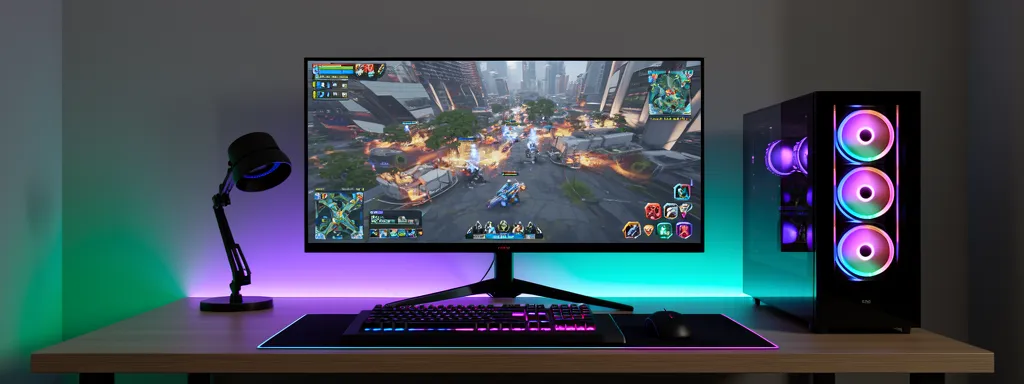
When shopping for a monitor in Singapore, you’ll see specs like 60Hz, 144Hz, or 240Hz. But what does Hz actually mean — and more importantly, will you notice the difference? This guide breaks it down clearly so you can make the right choice for your budget and use case.
What Does Hz Mean?
Hz (Hertz) is the unit that measures a monitor’s refresh rate — how many times per second the screen redraws the image. A 60Hz monitor refreshes 60 times per second. A 144Hz monitor refreshes 144 times per second.
The higher the Hz, the smoother motion appears on screen. This matters most when things are moving quickly — in games, fast-scrolling webpages, or video playback.
60Hz vs 144Hz vs 240Hz — What’s the Real Difference?
| Refresh Rate | Smoothness | Best For | Price Range (SGD) |
|---|---|---|---|
| 60Hz | ⭐⭐⭐ | Office work, browsing, movies, casual use | $150–$350 |
| 75Hz | ⭐⭐⭐ | Casual gaming entry-level, slight upgrade from 60Hz | $180–$400 |
| 144Hz | ⭐⭐⭐⭐ | Gaming, WFH power users, smoother everyday use | $280–$600 |
| 165Hz | ⭐⭐⭐⭐ | Competitive gaming, similar to 144Hz with slight edge | $300–$650 |
| 240Hz | ⭐⭐⭐⭐⭐ | Competitive esports (Valorant, CS2, DOTA2) | $450–$900 |
| 360Hz+ | ⭐⭐⭐⭐⭐ | Pro esports players only — diminishing returns for most | $800+ |
Does Higher Hz Actually Matter for You?
The answer depends entirely on what you use your monitor for and what GPU you have. Higher Hz only helps if your GPU can actually produce enough frames to match it.
| Your Use Case | Does Higher Hz Help? | Recommended Hz |
|---|---|---|
| Office work, spreadsheets, documents | Minimal difference | 60Hz is fine |
| Watching Netflix, YouTube, movies | No — content is 24–60fps | 60Hz is fine |
| Casual gaming (RPG, strategy, simulation) | Noticeable but not critical | 75Hz–144Hz |
| Action gaming (FPS, racing, fighting) | Very noticeable improvement | 144Hz–165Hz |
| Competitive esports (Valorant, CS2) | Significant advantage | 240Hz+ |
| Graphic design, photo editing | Not relevant | 60Hz–144Hz (focus on colour accuracy instead) |
Your GPU Must Match Your Monitor Hz
A 144Hz monitor only gives you 144Hz smoothness if your GPU can render at least 144 frames per second (FPS) in the games you play. If your GPU only outputs 60FPS, a 144Hz monitor shows no benefit over 60Hz.
| GPU Tier | Typical FPS in Games | Recommended Monitor Hz |
|---|---|---|
| Entry (GTX 1650, RX 6500) | 40–80 FPS | 60Hz–75Hz |
| Mid (RTX 3060, RX 6700) | 80–150 FPS | 144Hz |
| High (RTX 4070, RX 7800 XT) | 150–250 FPS | 165Hz–240Hz |
| Flagship (RTX 4090, RX 7900 XTX) | 200–400+ FPS | 240Hz–360Hz |
Hz vs Resolution — Which Should You Prioritise?
This is one of the most common dilemmas when buying a monitor in Singapore — should you go for higher Hz or higher resolution (1080p vs 1440p vs 4K)?
| Priority | Go For | Why |
|---|---|---|
| Competitive gaming | Higher Hz, 1080p | Smoothness matters more than resolution for reaction time |
| Casual gaming + work | 1440p 144Hz | Best all-rounder balance in 2026 |
| Design / creative work | 4K 60Hz | Colour accuracy and resolution matter more than Hz |
| Movies and entertainment | 4K 60Hz | Content is 24–60fps — higher Hz adds no benefit |
Frequently Asked Questions
Can I notice the difference between 60Hz and 144Hz?
Yes — almost everyone can notice this difference immediately, even people who aren’t gamers. Scrolling through web pages, moving windows around, and general desktop use all feel noticeably smoother at 144Hz. It’s one of the most impactful monitor upgrades you can make.
Does Hz affect eye strain?
Yes. Higher refresh rates reduce screen flicker, which is a common cause of eye strain and headaches during long sessions. Going from 60Hz to 144Hz can noticeably reduce eye fatigue, especially during extended work or gaming sessions — a real benefit for Singapore’s WFH population.
Is 144Hz worth it for office work in Singapore?
Yes, even for non-gamers. The smoother scrolling and cursor movement at 144Hz makes everyday computer use noticeably more comfortable. Given that 144Hz monitors in Singapore start from around $280, the premium over 60Hz is very reasonable for full-time WFH users.
Does my laptop support higher Hz monitors?
Most modern laptops support up to 144Hz via HDMI 2.0 or DisplayPort. However, some older laptops cap external monitors at 60Hz via HDMI 1.4. Check your laptop’s HDMI version before buying a high-Hz monitor. DisplayPort always supports higher refresh rates than HDMI.
What Hz should I get for my first gaming monitor in Singapore?
144Hz at 1080p or 1440p is the best starting point for most Singaporean gamers in 2026. It’s the sweet spot between price, performance and GPU requirements. Avoid 60Hz if gaming is a priority — the difference is immediately noticeable.
🔗 Useful Official Resources